

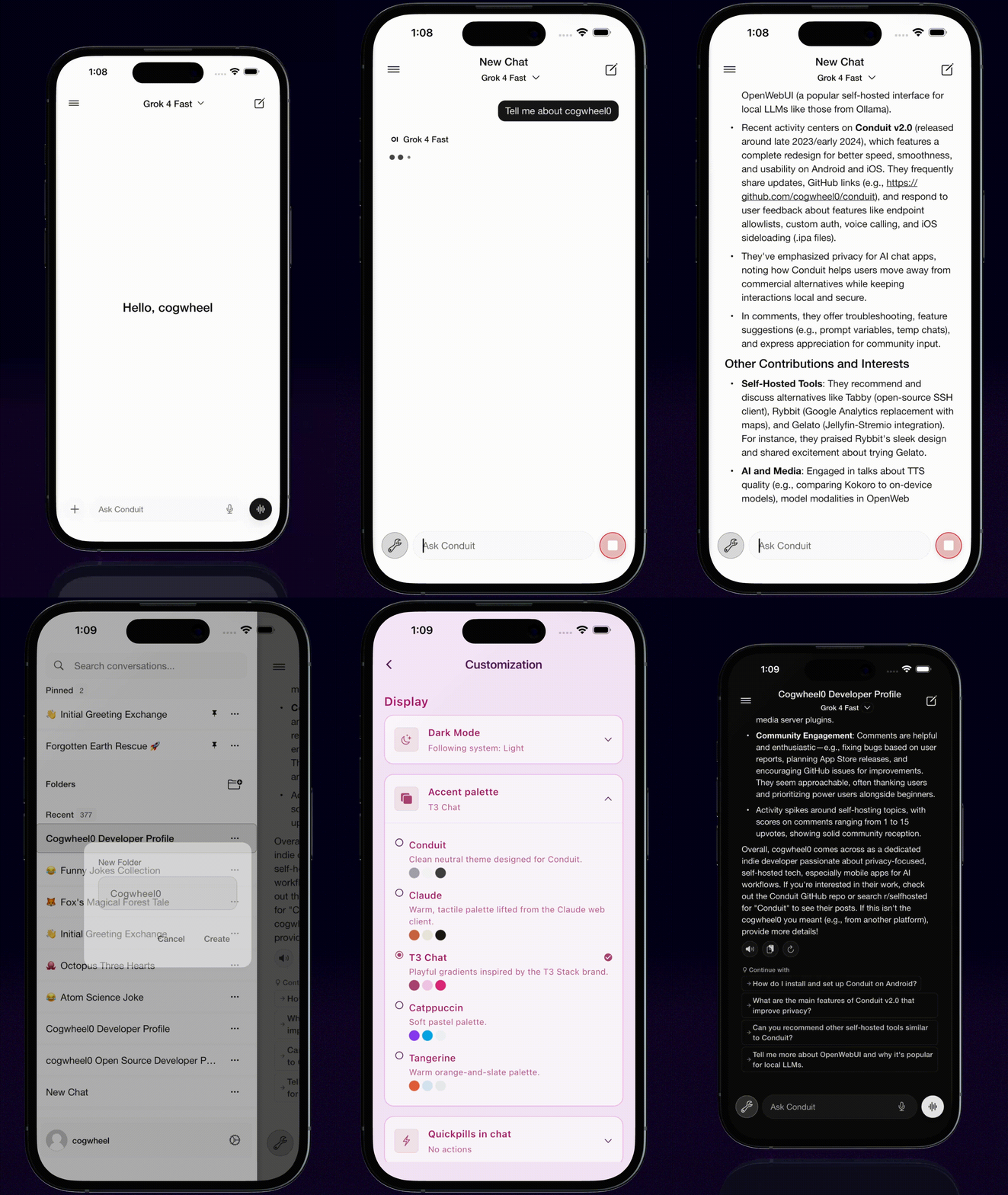
 |
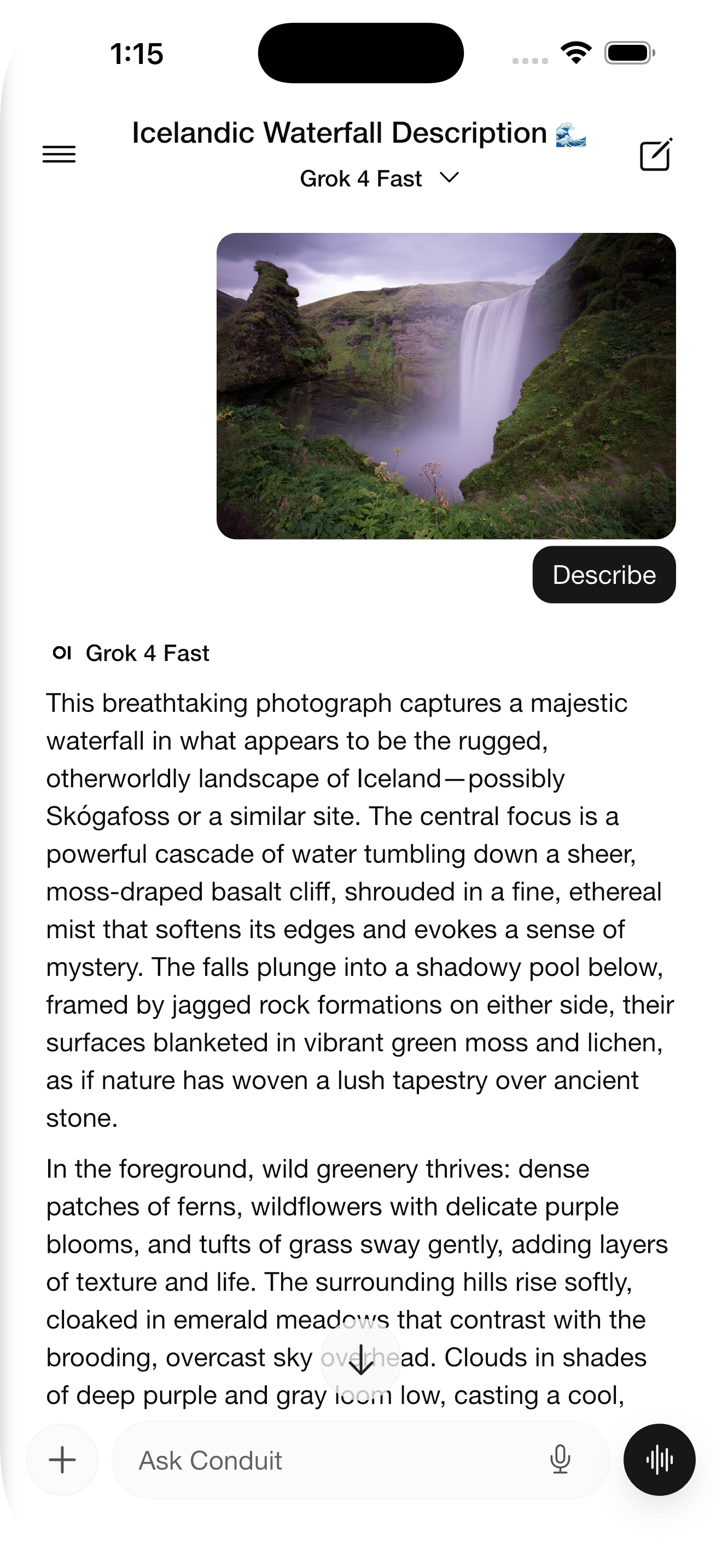
| 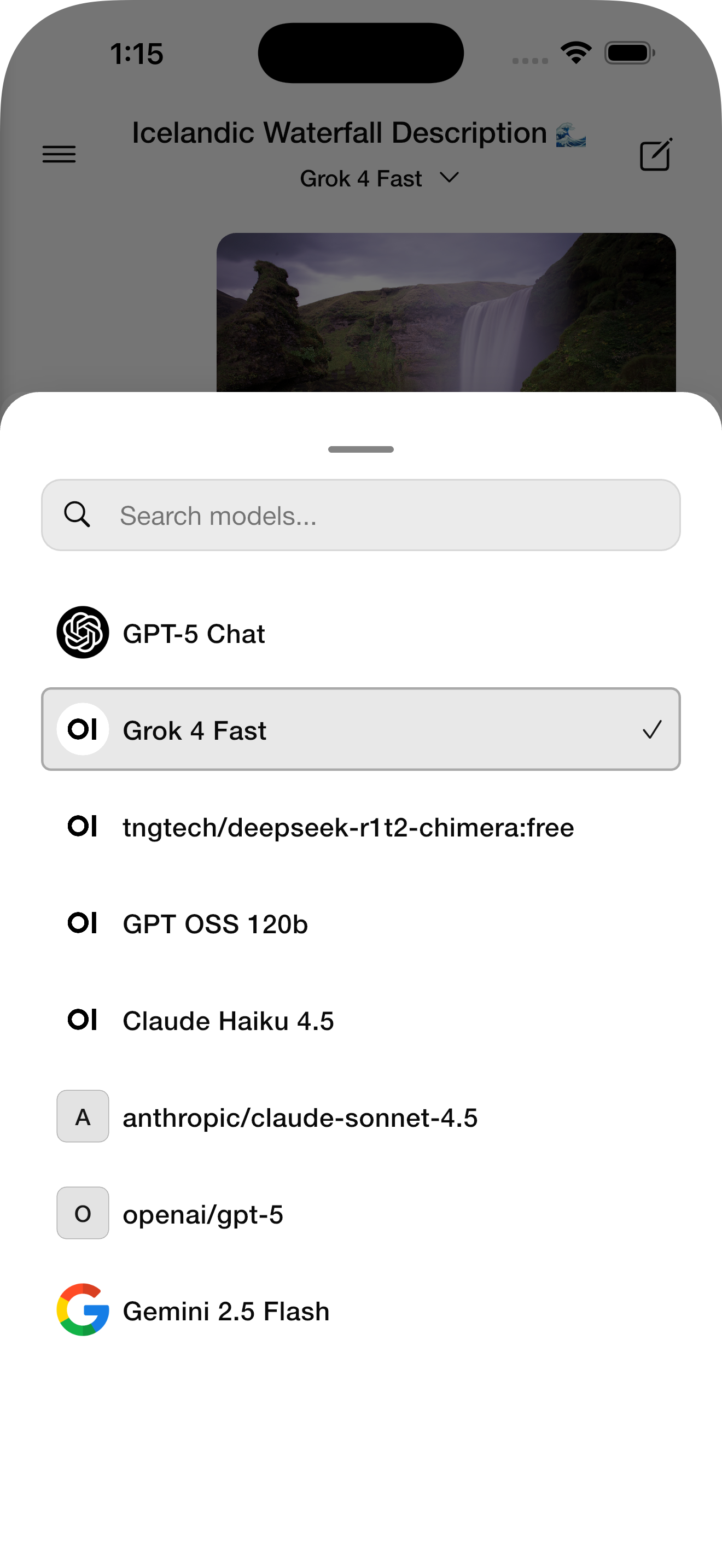 |
| 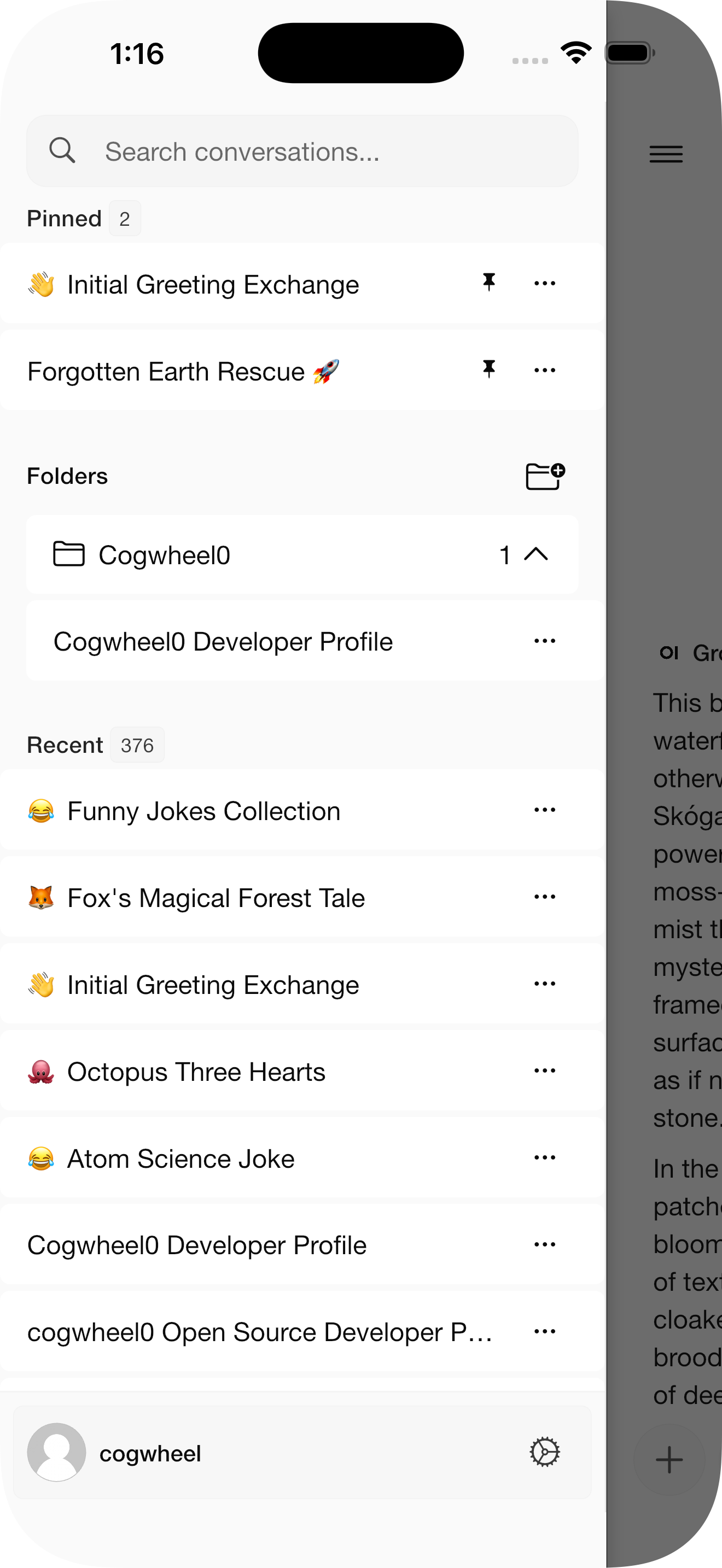 |
|  |
## Requirements
- Flutter SDK 3.0.0 or higher
- Android 6.0 (API 23) or higher
- iOS 12.0 or higher
- A running Open-WebUI instance
## Installation
1. Clone the repository:
```bash
git clone https://github.com/yourusername/conduit.git
cd conduit
```
2. Install dependencies:
```bash
flutter pub get
```
3. Generate code:
```bash
dart run build_runner build --delete-conflicting-outputs
```
4. Run the app:
```bash
# For iOS
flutter run -d ios
# For Android
flutter run -d android
```
## Building for Release
### Android
```bash
flutter build apk --release
# or for App Bundle
flutter build appbundle --release
```
### iOS
```bash
flutter build ios --release
```
## Configuration
### Android
The app requires the following permissions:
- Internet access
- Microphone (for voice input)
- Camera (for taking photos)
- Storage (for file selection)
### iOS
The app will request permissions for:
- Microphone access (voice input)
- Speech recognition
- Camera access
- Photo library access
## Architecture
The app follows a clean architecture pattern with:
- **Riverpod** for state management
- **Dio** for HTTP networking
- **WebSocket** for real-time streaming
- **Flutter Secure Storage** for credential management
### Project Structure
```
lib/
├── core/
│ ├── models/ # Data models
│ ├── services/ # API and storage services
│ ├── providers/ # Global state providers
│ └── utils/ # Utility functions
├── features/
│ ├── auth/ # Authentication feature
│ ├── chat/ # Chat interface feature
│ ├── server/ # Server connection feature
│ └── settings/ # Settings feature
└── shared/
├── theme/ # App theming
├── widgets/ # Shared widgets
└── utils/ # Shared utilities
```
## Contributing
Conduit is currently in active development. We welcome your feedback and contributions!
**How to Contribute:**
- **Bug Reports**: Found a bug? Please [create an issue](https://github.com/cogwheel0/conduit/issues) with details about the problem, steps to reproduce, and your device/platform information.
- **Feature Requests**: Have an idea for a new feature? Start a [discussion](https://github.com/cogwheel0/conduit/discussions) to share your ideas and gather feedback from the community.
- **Questions & Feedback**: Use [GitHub Discussions](https://github.com/cogwheel0/conduit/discussions) to ask questions, share your experience, or discuss the project.
**Note:** As the project is actively evolving, we're not accepting pull requests at this time. Instead, please use issues and discussions to share your ideas, report bugs, and contribute to the project's development.
## Troubleshooting
- iOS: ensure recent Xcode, run `cd ios && pod install`, set signing team in Xcode if building on device.
- Android: minSdk 23+, ensure correct Java and Gradle; if builds fail, try `flutter clean`.
- Codegen conflicts: `flutter pub run build_runner build --delete-conflicting-outputs`.
### Streaming Issues
If you experience problems with real-time streaming or chat updates, ensure websocket support is enabled on your Open-WebUI server. See the [Websocket Support documentation](https://docs.openwebui.com/tutorials/integrations/redis/#websocket-configuration) for configuration details. Required environment variables include `ENABLE_WEBSOCKET_SUPPORT="true"`.
## Security & Privacy
- Credentials are stored using platform secure storage (Keychain/Keystore).
- No analytics or telemetry are collected.
- Network calls are only made to your configured Open‑WebUI server.
### Endpoint Allowlist (Custom Auth)
If you protect Open‑WebUI with SSO or a reverse proxy (Authlia, Authentik,
etc.), whitelist these path prefixes so Conduit can complete login, sync, and
streaming flows. Paths are relative to your server base URL.
- `/health`
- `/api/*`
WebSocket connections use the Socket.IO handshake on `/ws/socket.io`. Ensure the
same headers (or allowlist rules) apply there as well.
## License
This project is licensed under the GPL3 License - see the LICENSE file for details.
## Acknowledgments
-
|
## Requirements
- Flutter SDK 3.0.0 or higher
- Android 6.0 (API 23) or higher
- iOS 12.0 or higher
- A running Open-WebUI instance
## Installation
1. Clone the repository:
```bash
git clone https://github.com/yourusername/conduit.git
cd conduit
```
2. Install dependencies:
```bash
flutter pub get
```
3. Generate code:
```bash
dart run build_runner build --delete-conflicting-outputs
```
4. Run the app:
```bash
# For iOS
flutter run -d ios
# For Android
flutter run -d android
```
## Building for Release
### Android
```bash
flutter build apk --release
# or for App Bundle
flutter build appbundle --release
```
### iOS
```bash
flutter build ios --release
```
## Configuration
### Android
The app requires the following permissions:
- Internet access
- Microphone (for voice input)
- Camera (for taking photos)
- Storage (for file selection)
### iOS
The app will request permissions for:
- Microphone access (voice input)
- Speech recognition
- Camera access
- Photo library access
## Architecture
The app follows a clean architecture pattern with:
- **Riverpod** for state management
- **Dio** for HTTP networking
- **WebSocket** for real-time streaming
- **Flutter Secure Storage** for credential management
### Project Structure
```
lib/
├── core/
│ ├── models/ # Data models
│ ├── services/ # API and storage services
│ ├── providers/ # Global state providers
│ └── utils/ # Utility functions
├── features/
│ ├── auth/ # Authentication feature
│ ├── chat/ # Chat interface feature
│ ├── server/ # Server connection feature
│ └── settings/ # Settings feature
└── shared/
├── theme/ # App theming
├── widgets/ # Shared widgets
└── utils/ # Shared utilities
```
## Contributing
Conduit is currently in active development. We welcome your feedback and contributions!
**How to Contribute:**
- **Bug Reports**: Found a bug? Please [create an issue](https://github.com/cogwheel0/conduit/issues) with details about the problem, steps to reproduce, and your device/platform information.
- **Feature Requests**: Have an idea for a new feature? Start a [discussion](https://github.com/cogwheel0/conduit/discussions) to share your ideas and gather feedback from the community.
- **Questions & Feedback**: Use [GitHub Discussions](https://github.com/cogwheel0/conduit/discussions) to ask questions, share your experience, or discuss the project.
**Note:** As the project is actively evolving, we're not accepting pull requests at this time. Instead, please use issues and discussions to share your ideas, report bugs, and contribute to the project's development.
## Troubleshooting
- iOS: ensure recent Xcode, run `cd ios && pod install`, set signing team in Xcode if building on device.
- Android: minSdk 23+, ensure correct Java and Gradle; if builds fail, try `flutter clean`.
- Codegen conflicts: `flutter pub run build_runner build --delete-conflicting-outputs`.
### Streaming Issues
If you experience problems with real-time streaming or chat updates, ensure websocket support is enabled on your Open-WebUI server. See the [Websocket Support documentation](https://docs.openwebui.com/tutorials/integrations/redis/#websocket-configuration) for configuration details. Required environment variables include `ENABLE_WEBSOCKET_SUPPORT="true"`.
## Security & Privacy
- Credentials are stored using platform secure storage (Keychain/Keystore).
- No analytics or telemetry are collected.
- Network calls are only made to your configured Open‑WebUI server.
### Endpoint Allowlist (Custom Auth)
If you protect Open‑WebUI with SSO or a reverse proxy (Authlia, Authentik,
etc.), whitelist these path prefixes so Conduit can complete login, sync, and
streaming flows. Paths are relative to your server base URL.
- `/health`
- `/api/*`
WebSocket connections use the Socket.IO handshake on `/ws/socket.io`. Ensure the
same headers (or allowlist rules) apply there as well.
## License
This project is licensed under the GPL3 License - see the LICENSE file for details.
## Acknowledgments
-  - Open-WebUI team for creating an amazing self-hosted AI interface
- Flutter team for the excellent mobile framework
- All contributors and users of Conduit
## Support
For issues and feature requests, please use the [GitHub Issues](https://github.com/cogwheel0/conduit/issues) page.
- Open-WebUI team for creating an amazing self-hosted AI interface
- Flutter team for the excellent mobile framework
- All contributors and users of Conduit
## Support
For issues and feature requests, please use the [GitHub Issues](https://github.com/cogwheel0/conduit/issues) page.